Creating a model
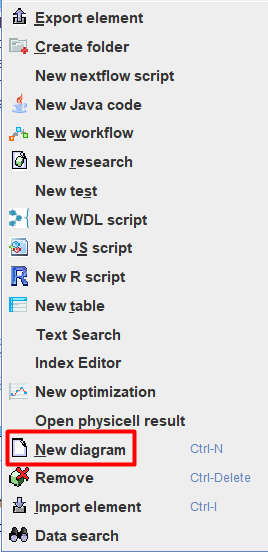
After creating the project, you can proceed directly to creating the model. To do this, right-click on  , where you want to create the model, and in the drop-down list, click LMB on
  New Diagram.
Note
You can create a model in any folder, not only in Diagrams.
After this, in the window that appears, you can configure your model:
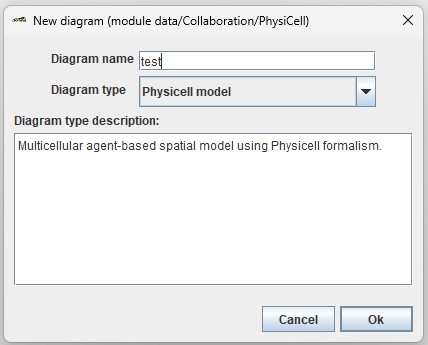
Diagram name: model name,
Diagram type: model type (you need to select Physicell model),
Diagram type description: Description of the selected diagram type.
After setting up the diagram, click Ok.
Warning
Once a model is created, you cannot change its name or type.
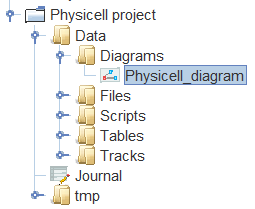
As a result, the model you created with the  icon will appear in the selected folder.
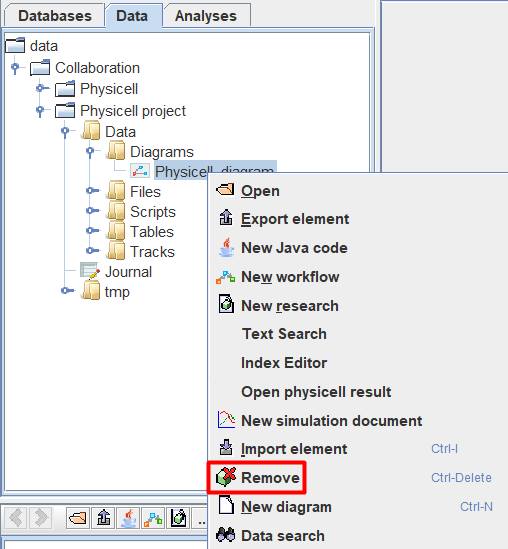
To delete a model, you need to:
Right-click on the model designation in the tree.
In the drop-down list, click LMB
 Remove.