Grid Properties (Domain)
The Domain tab describes the external environment space, which is defined by a rectangular grid.
In this tab you can edit the following parameters:
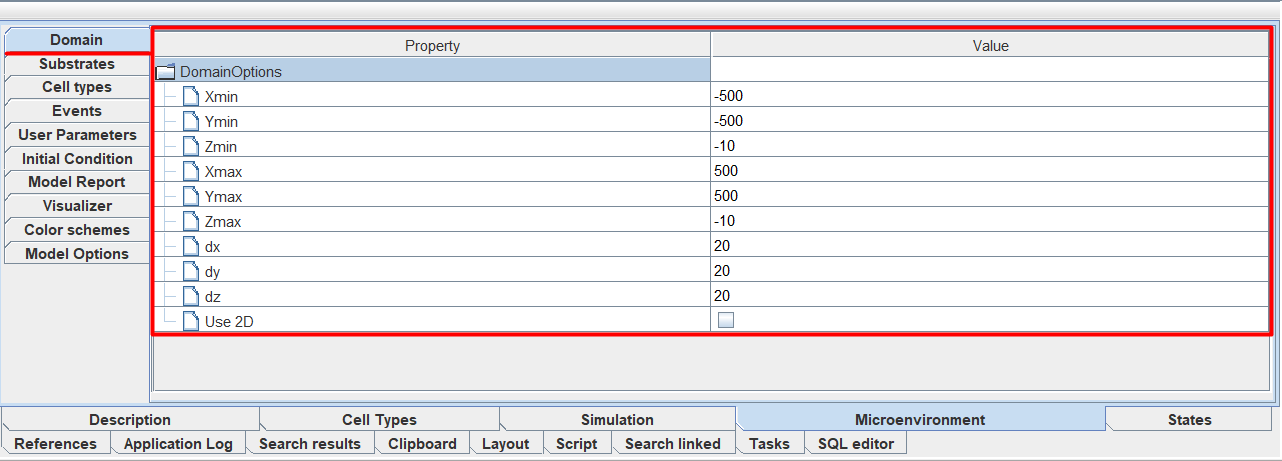
Xmin: minimum value of the coordinate along the X axis.
Ymin: minimum value of the coordinate along the Y axis.
Zmin: minimum value of the coordinate along the Z axis.
Xmax: maximum value of the coordinate along the X axis.
Ymax: maximum value of the coordinate along the Y axis.
Zmax: maximum value of the coordinate along the Z axis.
dx: grid spacing along the X axis.
dy: grid spacing along the Y axis.
dz: grid spacing along the Z axis.
Use 2D: Check ☑ if you want the environment space to be limited to two dimensions (X and Y axes).
Note
The Zmin, Zmax, and dz parameters are available for editing only if Use 2D is NOT selected.
To set the value of any parameter, you need to click LMB to the right of the corresponding icon and enter your own value.
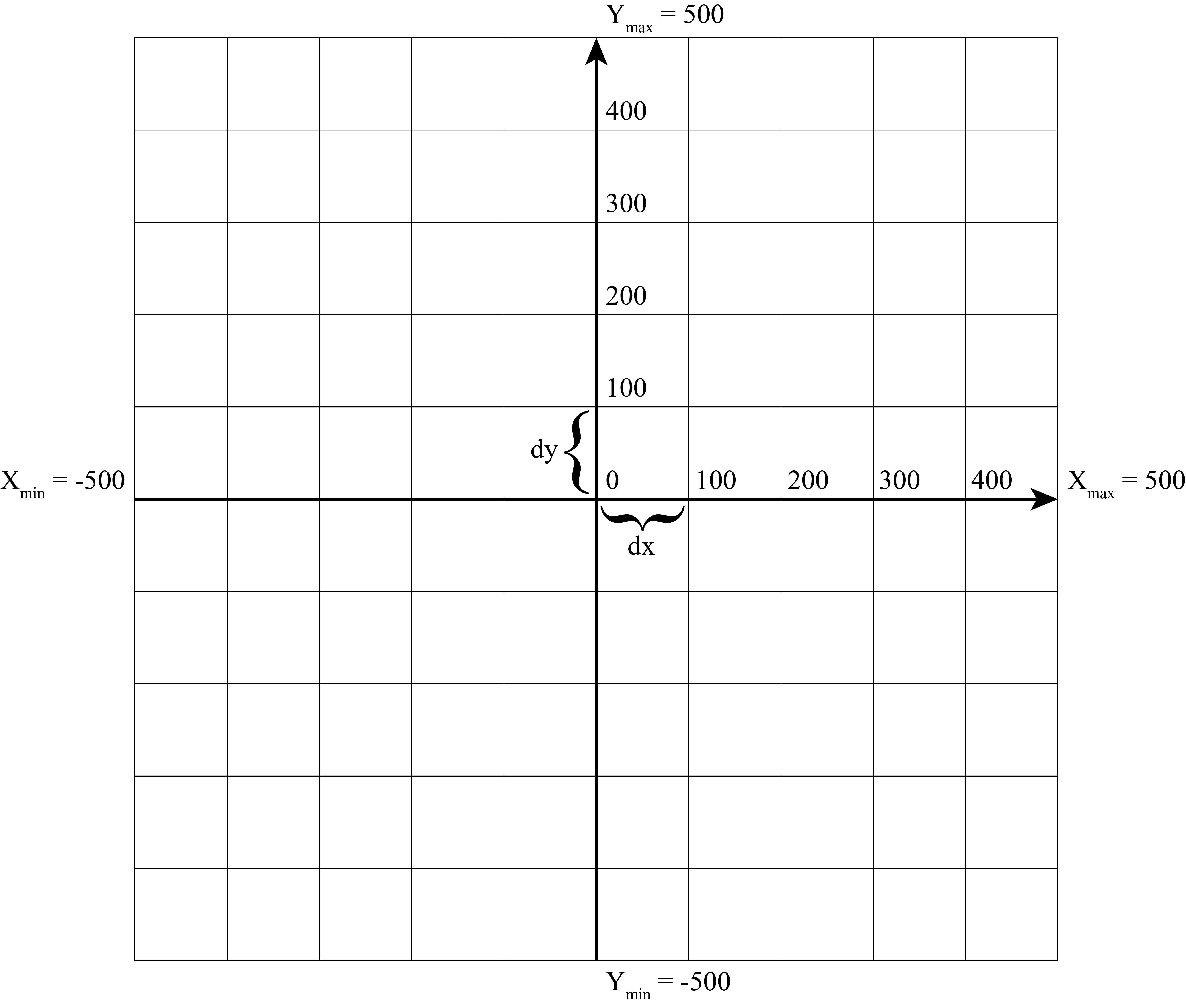
An example of a 2D mesh with parameters Xmin = -500, Xmax = 500, dx = 100, Ymin = -500, Ymax = 500, and dy = 100 is shown below.