Model Report
After clicking on the Model Report tab in the properties panel on the right, you will have a menu where you can edit the following parameters:
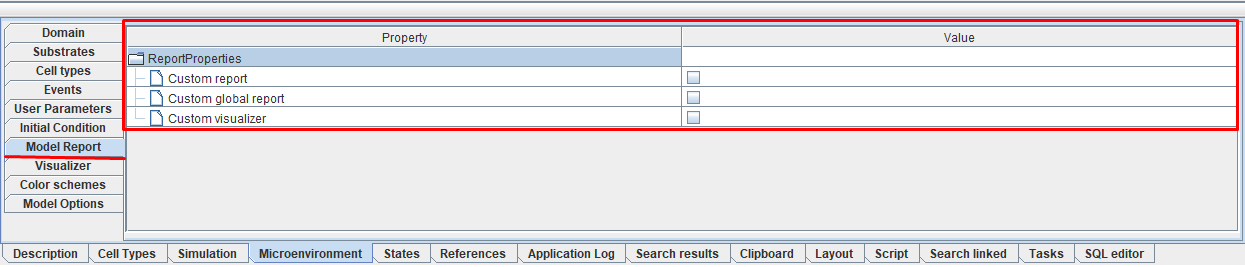
 Custom report: поставьте ☑, если хотите задать Java-код, по которому будет создаваться отчет по модели в табличной форме. Шаблон такого файла можно посмотреть здесь.
- Custom global report: put ☑ if you want to specify Java code that will determine the output of logs to the console during model simulation.
- Custom visualizer: поставьте ☑, если хотите задать Java-код, по которому будет изменяться расцветка клеток при симуляции модели. Шаблон такого файла можно посмотреть здесь.
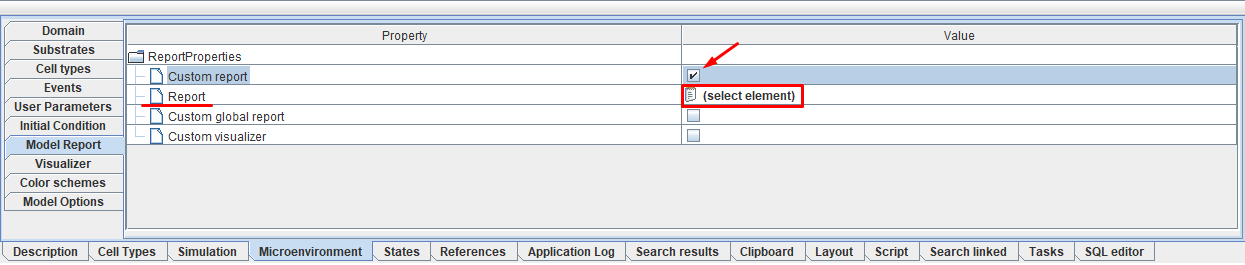
When specifying ☑ opposite Custom report, Custom global report, or Custom visualizer a new field will appear below the selected field Report, Global report, or Visualizer, respectively. Opposite these fields you can click LMB on  (select element), and then in the window that appears, specify the path to the desired Java code in the repository.