Substrates
The Substrates tab provides a list of all substrates in the model along with their properties in tabular form.
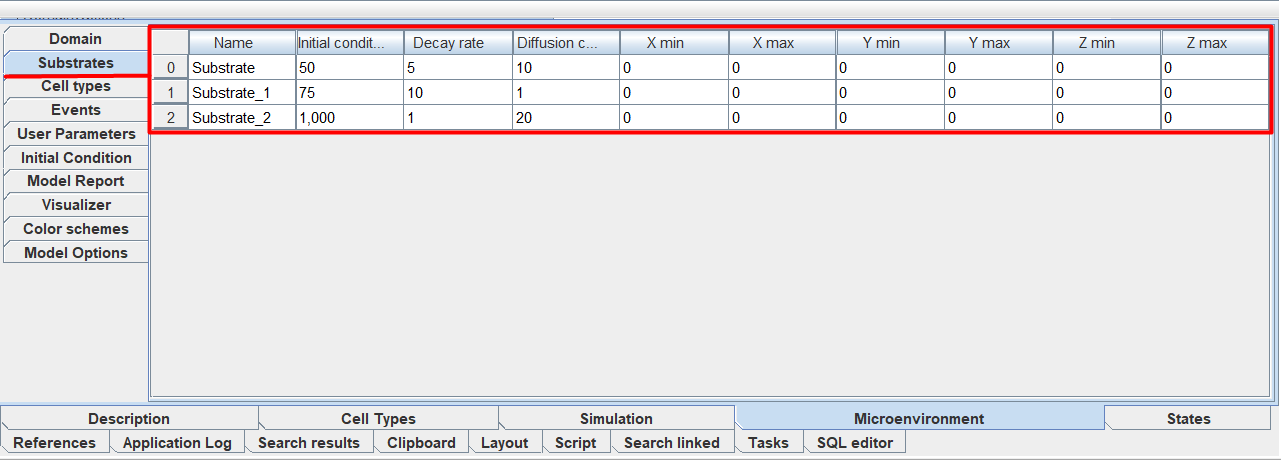
On this tab you can edit all properties of substrates:
Name: name of the substrate.
Initial condition: initial amount of substrate in each cell of the environment.
Decay rate: rate of decomposition of the substrate in the environment,
Diffusion coefficient: substrate diffusion rate in the environment,
X min: boundary condition for the concentration of the substrate at the boundary of the environment X = Xmin.
X max: boundary condition for the concentration of the substrate at the boundary of the environment X = Xmax.
Y min: boundary condition for the concentration of the substrate at the boundary of the environment Y = Ymin.
Y max: boundary condition for the concentration of the substrate at the boundary of the environment Y = Ymax.
Z min: boundary condition for the concentration of the substrate at the boundary of the environment Z = Zmin.
Z max: boundary condition for the concentration of the substrate at the boundary of the environment Z = Zmax.
To set the value of any parameter, you need to click LMB in the row cell under the corresponding heading and enter your own value.
Also, the properties of substrates can be configured directly on the diagram when creating or editing them.
Warning
You cannot add or remove new substrates on this tab.
On this tab you can sort substrates by the values of any of their characteristics. To do this, click LMB on the name of the column by the values of which you want to sort the substrates.
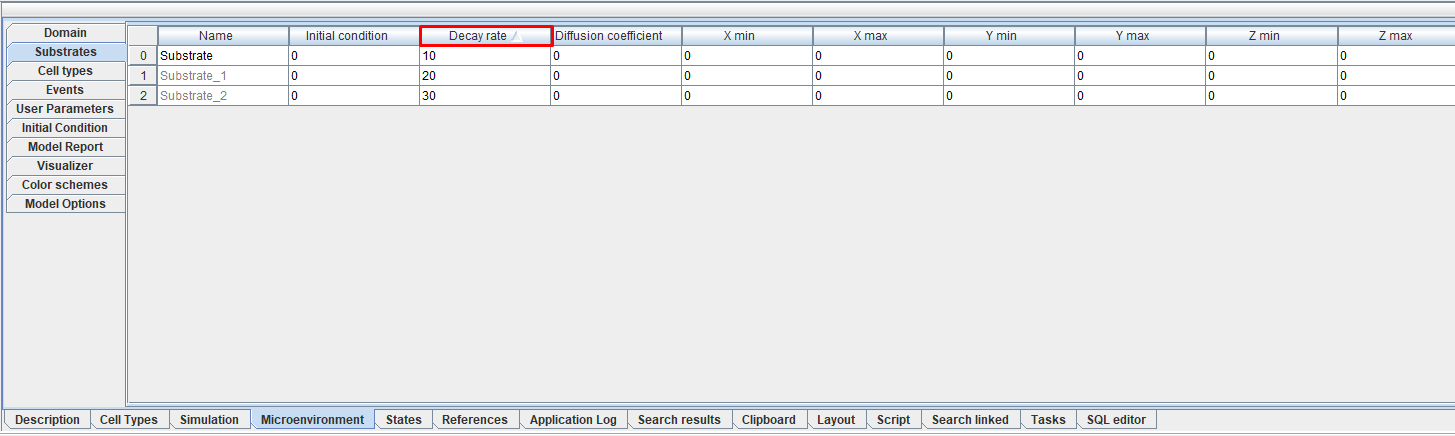
After this, an icon  will appear next to the name of the selected characteristic, indicating sorting from smallest to largest. To sort from largest to smallest, you need to click LMB on the name of the same characteristic again, after which the
  icon will appear next to it.