Result path
To select the path in the repository to save the simulation results, you need to click LMB on the  (select element) opposite the field Result path.
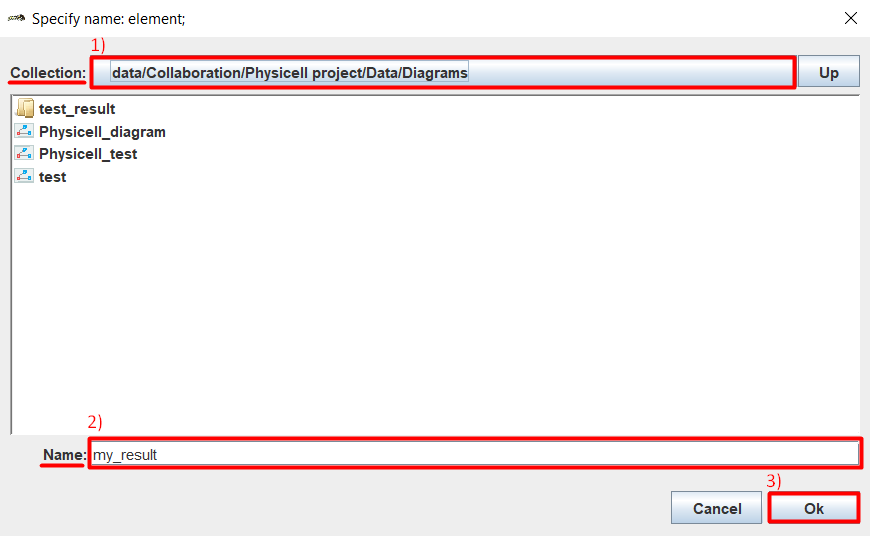
After this, in the window that appears, you need to:
Opposite the field Collection: select the folder in which the result should be saved.
Opposite the field Name: enter the name of the folder with the simulation results.
Click Ok.
After that, the specified path will be displayed opposite the field Result path.