Creation of chemotaxis
As a result of chemotaxis, the cell moves along a gradient of a substance towards or away from it.
To create chemotaxis in the model, you need:
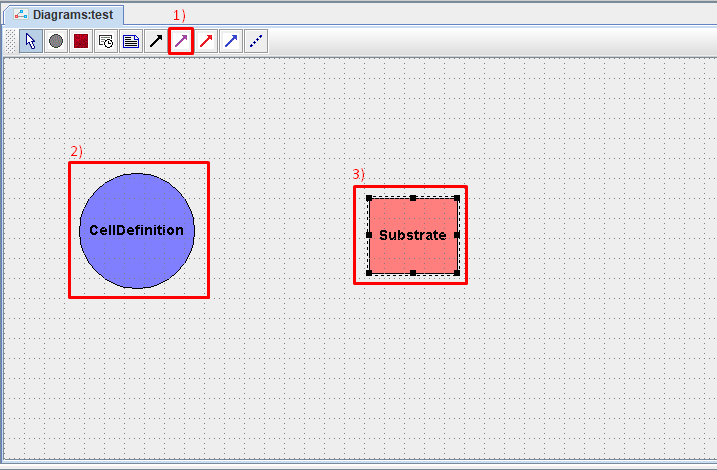
Click LMB on the icon
 on the toolbar.
Click LMB on the cell type that will move to/from a specific substrate.
Click LMB on the substrate to/from which cells of the selected type will move.
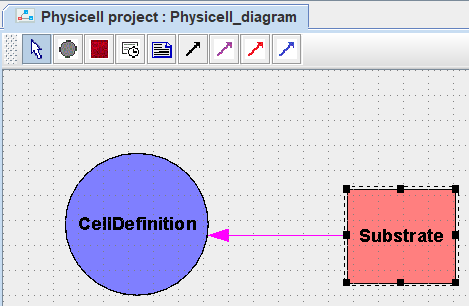
After this, a purple arrow will appear on the diagram, directed from the substrate to the cell.
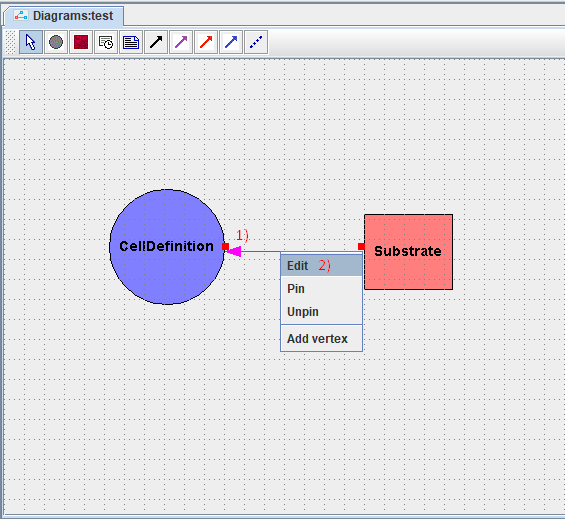
To edit the parameters of the created chemotaxis, you need to right-click on the arrow on the diagram indicating this chemotaxis, and in the drop-down list, click on the Edit button.
After this, in the window that appears, you need to set the parameters of the chemotaxis:
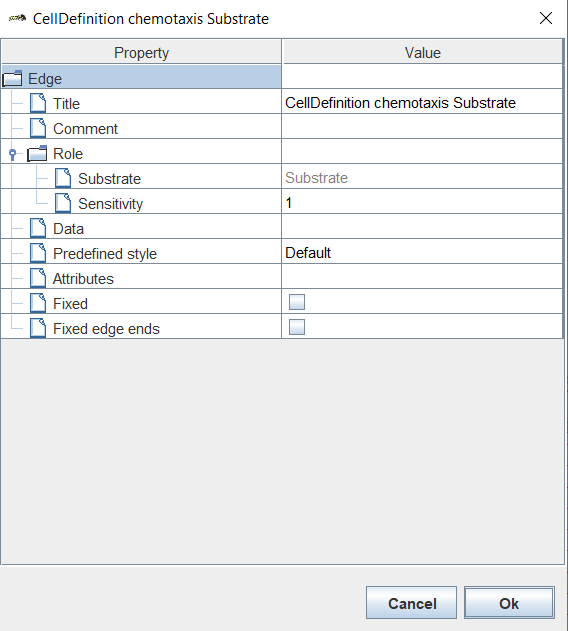
Title: name of chemotaxis,
Comment: comment,
Substrate: name of the substrate (unchangeable!),
Sensitivity: sensitivity to the selected substance.
Note
Positive Sensitivity values indicate that the cell will move towards the substrate, and negative values indicate that the cell will move away from the substrate.
The absolute value of Sensitivity indicates the “strength” of cell movement towards/away from a specific substrate.
Once all parameters have been set, click Ok.
Чтобы удалить хемотаксис из модели, необходимо нажать на него ЛКМ и нажать клавишу Delete.
Если вы работаете в веб-версии BioUML, то для удаления нужно:
Нажать на обозначение хемотаксиса ПКМ.
В раскрывающемся списке нажать ЛКМ на Remove
 .
.