Creating a Transformation
During transformation, a cell of one type turns into a cell of another type.
To create a transformation in the model, you need:
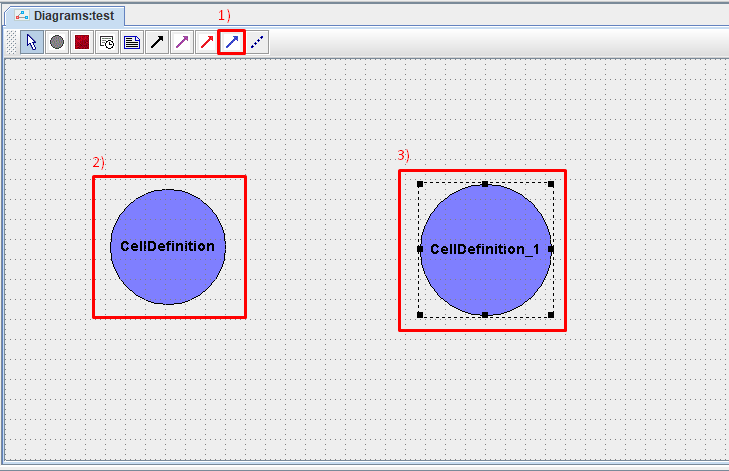
Click LMB on the icon
 on the toolbar.
Click LMB on the cell type that will transform into another cell type.
Click LMB on the type of cells into which the transformation will occur.
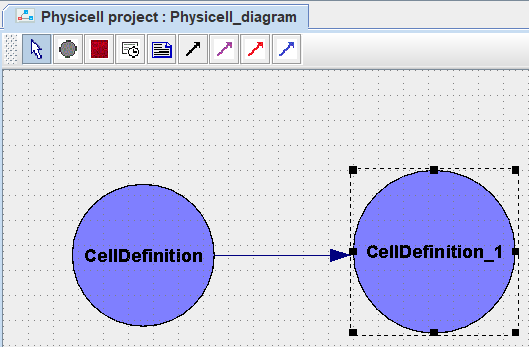
After this, a blue arrow will appear on the diagram, directed from one type of cell that will be transformed to another, into which the first will turn as a result of the transformation.
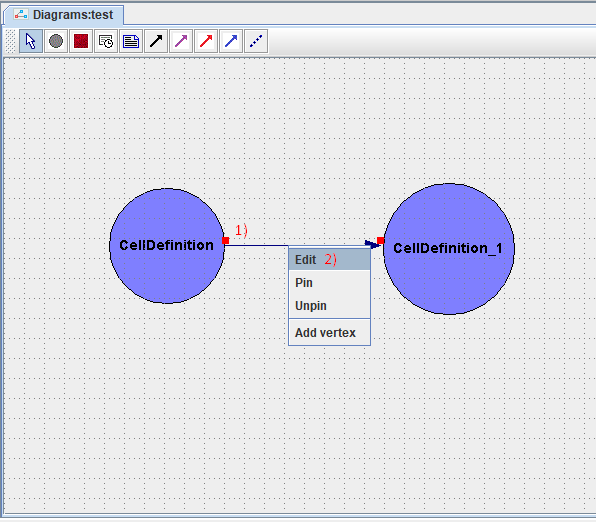
To configure the parameters of the created transformation, you need to right-click on the arrow on the diagram indicating this transformation, and in the drop-down list, click on the Edit button.
After this, in the window that appears, you need to set the parameters of the transformation being changed:
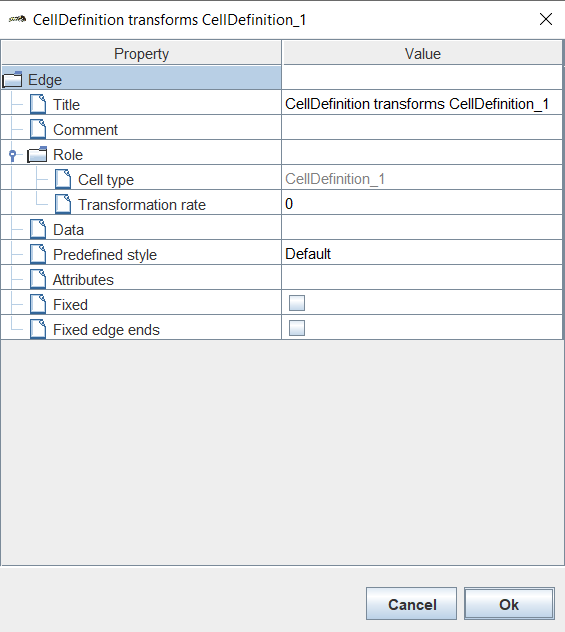
Title: name of the transformation,
Comment: comment,
Cell type: name of the cell type to which the cells resulting from the transformation will belong (does not change!),
Transformation rate: transformation speed.
Once all parameters have been set, click Ok.
Чтобы удалить трансформацию из модели, необходимо нажать на нее ЛКМ и нажать клавишу Delete.
Если вы работаете в веб-версии BioUML, то для удаления нужно:
Нажать на обозначение трансформации ПКМ.
В раскрывающемся списке нажать ЛКМ на Remove
 .
.