Type of cell division (Division)
After clicking on the Division tab on the property panel on the right, you will have a menu where you can change the cell division parameters.
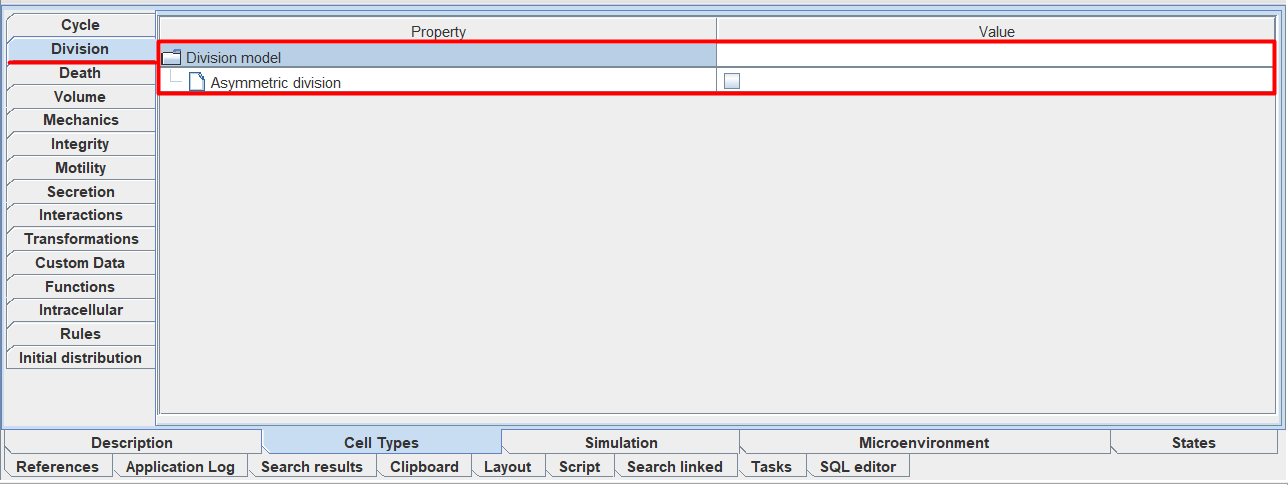
If the division of the selected cell type should occur asymmetrically, then check the ☑ to the right of the field  Asymmetric division.
Note
Asymmetric division is a division in which cells of one type can form cells of another type.
When you select this item below, you will see the Probabilities field (the probability of the appearance of cells of a different type).
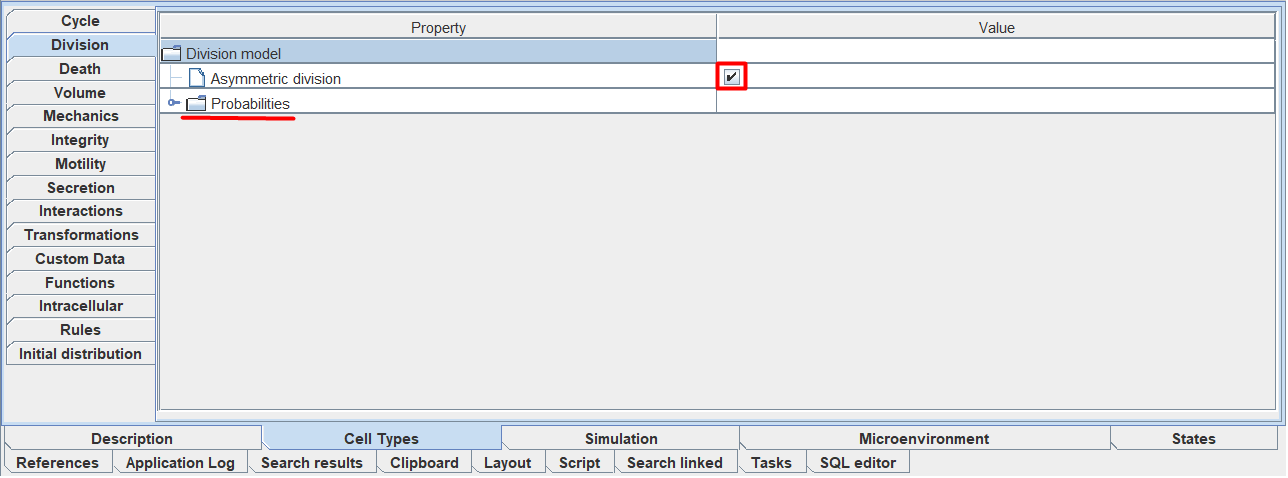
To add the probability of a cell of a different type appearing during division, you need:
Click LMB on the line with the Probabilities field.
Click LMB on the
 icon.
icon.
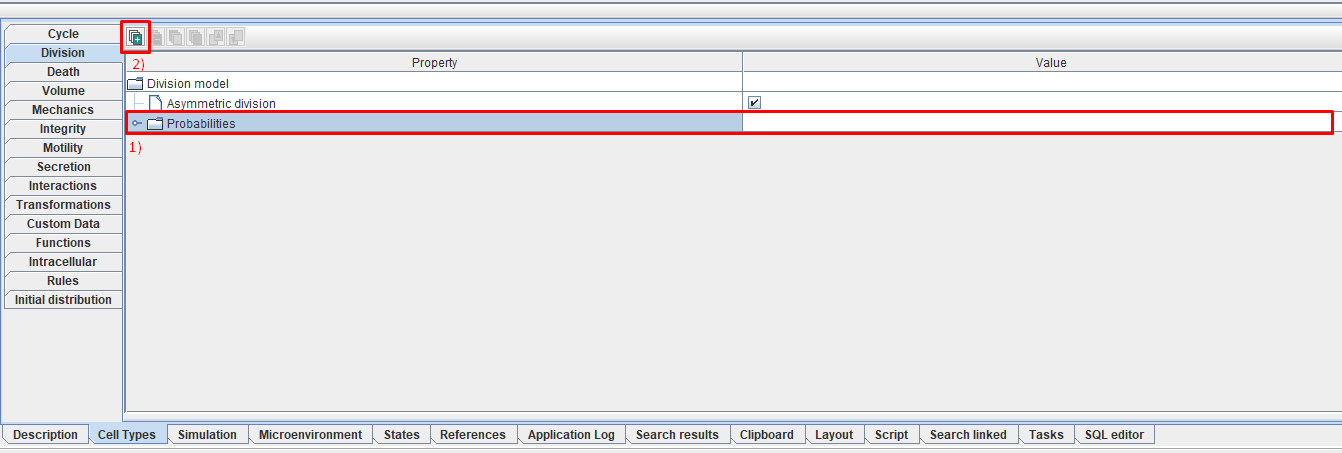
In this way, you can add as many probabilities as you like for the selected cell type (when you open the Probabilities tab, each probability will have its own serial number, starting from [0]).
To work with existing probabilities, use this functionality.
For each probability, you can configure 2 parameters.
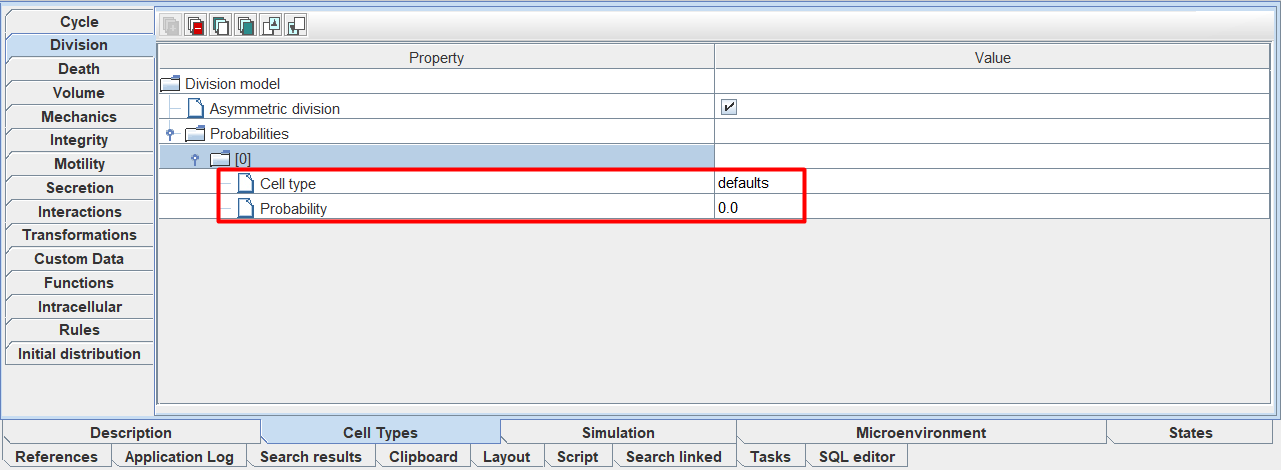
Cell type: the type of cell that can be obtained when dividing a parent cell,
Probability: the probability of a cell of a different type (selected in Cell type) appearing when the parent cell divides.
To change the value of each of these parameters, you need to click LMB to the right of the corresponding parameter and enter your value.
Important
With asymmetric division, the sum of all Probabilities must equal 1.
Below we will once again explain how asymmetric division works using an example.
Probabilities
├── [0]
│   ├── Cell type: Neuron
│   └── Probability: 0.3
├── [1]
│   ├── Cell type: Erythrocyte
│   └── Probability: 0.5
└── [2]
    ├── Cell type: Fibroblast
    └── Probability: 0.2

This configuration means that when the selected cell type divides, it can form either a neuron (with 30% probability), an erythrocyte (with 50% probability), or a fibroblast (with 20% probability).

The sum of all probabilities is 1 (0.3 + 0.5 + 0.2)