Secretion/consumption by the cell (Secretion)
After clicking on the Secretion tab in the property panel on the right, you will see a menu that displays the secretion and consumption parameters of the selected cell type.
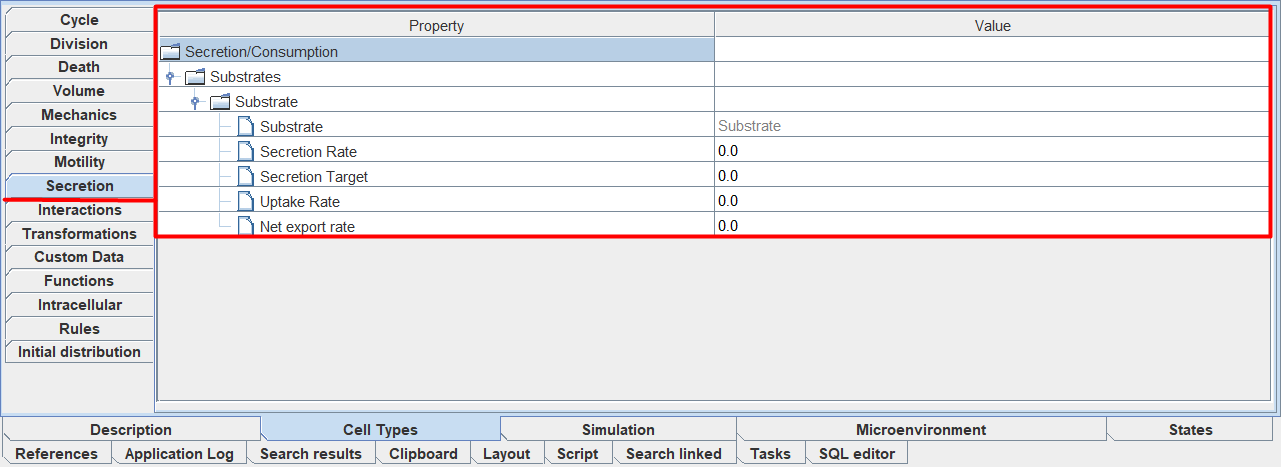
If the selected cell type in the diagram does not have secretions, then there will be no parameters available for editing on the Secretion tab.
In the figure above, the selected cell type in the diagram already has secretion/consumption ( ), so under the Substrates field there is already a field with the name of the substrate (in this case, Substrate) that the cells of the selected type secrete/consume. If the selected cell type in the diagram had multiple secretions/consumptions, then there would be several such fields (a separate field for each secretion/consumption in the diagram).
For each substrate that the selected cell type secretes or consumes, the following parameters can be configured.
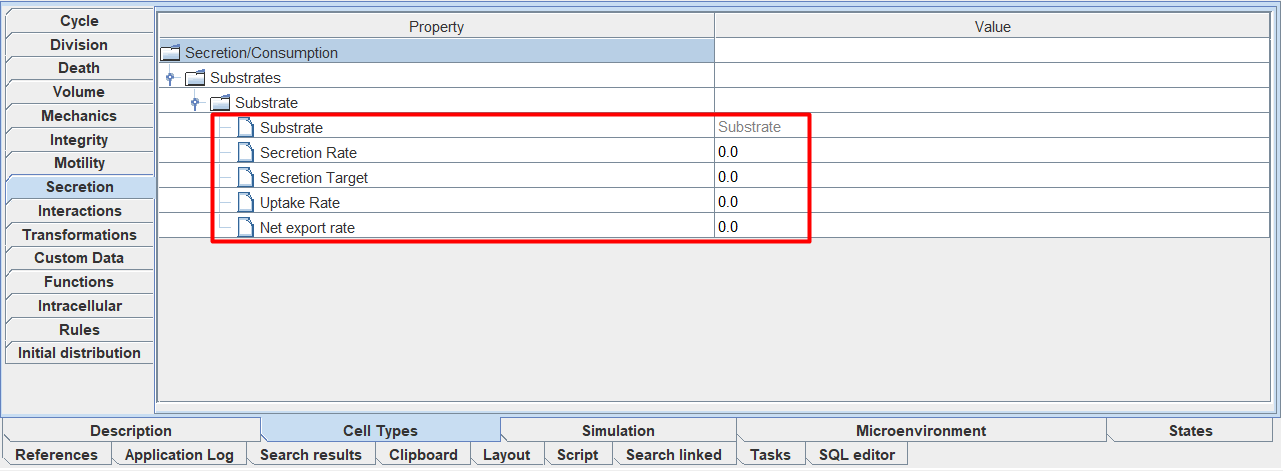
Secretion Rate: rate of secretion of a substance,
Secretion Target: “saturation” value at which secretion stops,
Uptake Rate: rate of consumption of the substance,
Net export rate: constant level of secretion/consumption of substrate, independent of cell volume.
You can also configure these parameters directly on the model diagram.
Important
You should not add new secretions in the Secretion tab - add and remove them only through the diagram.