Intracellular cell model (Intracellular)
An SBML model using ordinary differential equations, algebraic equations, and discrete events can be used to define intracellular mechanisms for a selected cell type. This model can use as parameters the properties of the cell, the amount of substances consumed and released by it, and can also change the values of the cell property itself.
After clicking on the Intracellular tab on the property panel on the right, you will see a menu in which opposite the field  Diagram you can specify the path to an SBML model that will describe the behavior inside cells of the selected type.
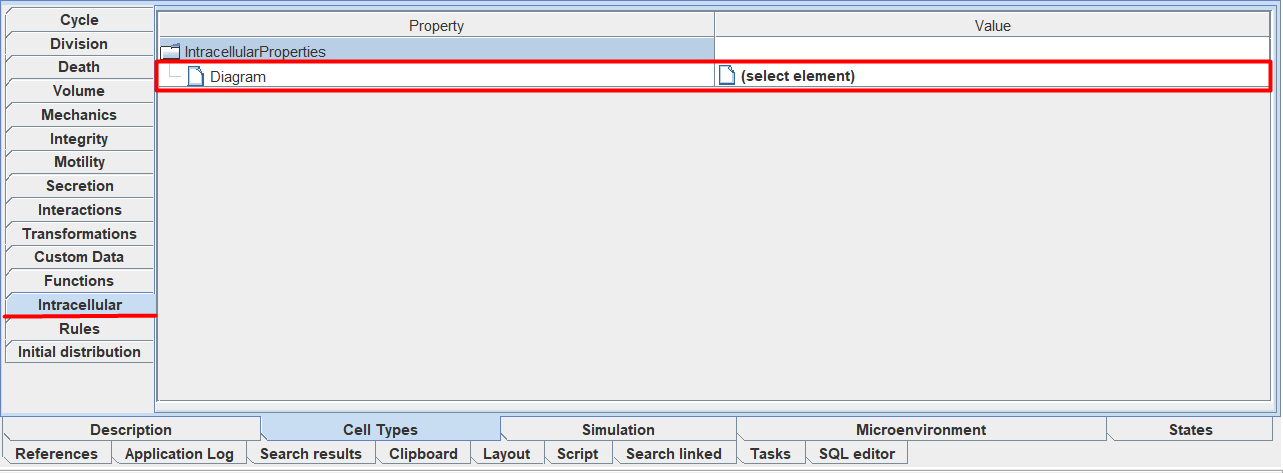
To specify the path to the SBML model, you need to click LMB on (select element) and in the menu that appears, indicate where the SBML model is located in your repository.
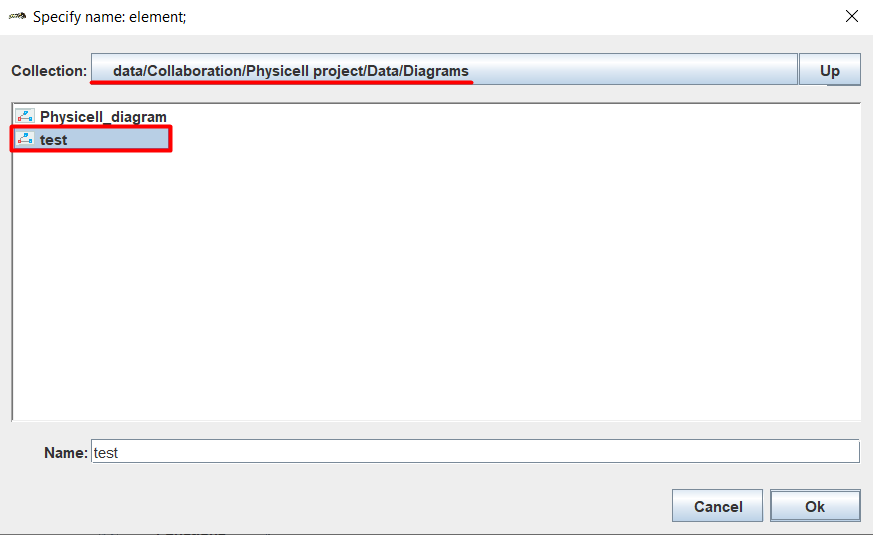
After this you will have two new fields:
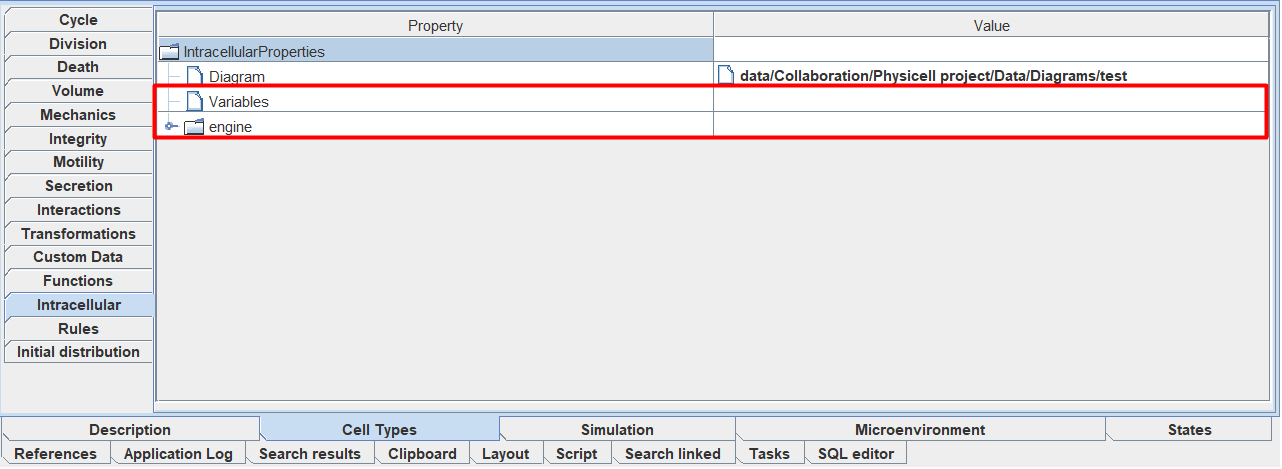
Variables: list of correspondences between SBML model variables and cell properties,
engine: properties of the numerical method.
Below we will look at how to edit each of these fields.
List of correspondences between SBML model variables and cell properties (Variables)
To add a correspondence between one SBML model variable and one cell property, you need:
Click LMB on
Variables.Click LMB on the
 icon.
icon.
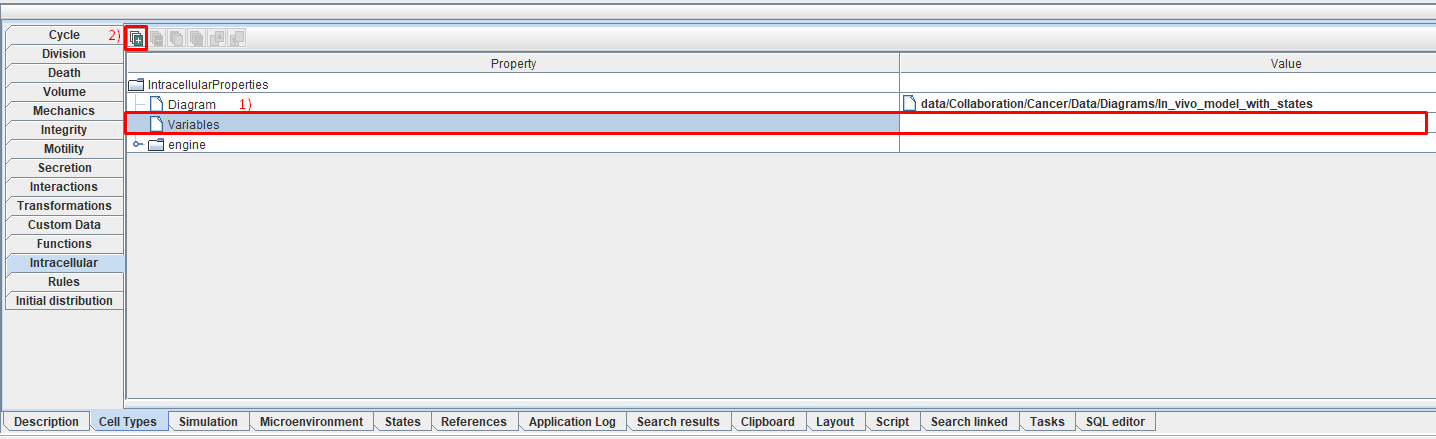
This way you can add as many matches as you like.
After that, under Variables a new tab will appear in which you can edit three parameters:
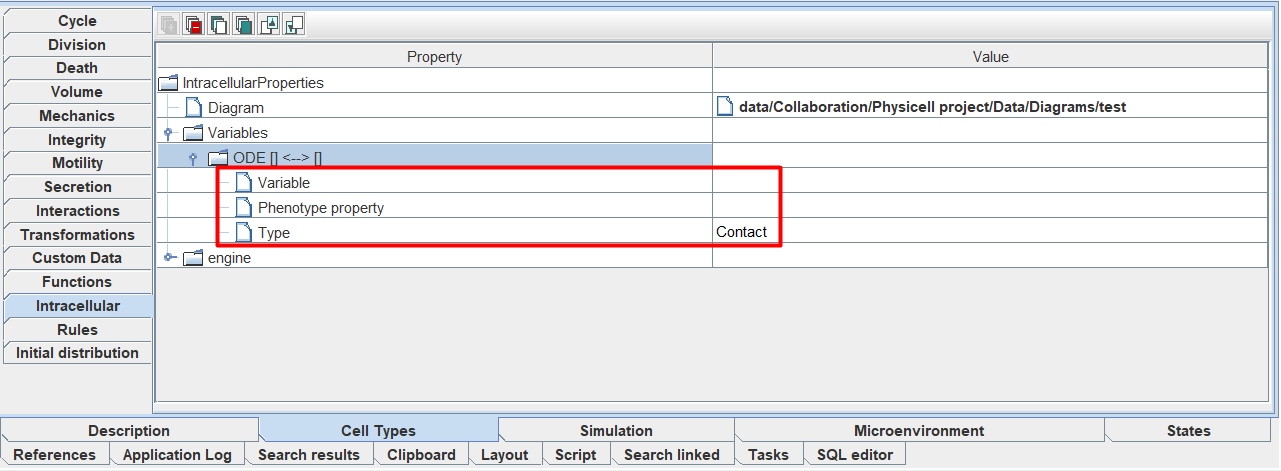
Variable: name of the SBML model variable, in accordance with which we want to set this or that cell property,
Phenotype property: name of the cell property corresponding to the selected variable,
Type: match type.
To specify the value of each of these three parameters, you need to click LMB to the right of the corresponding field (Variable, Phenotype property, or Type) and select the desired value from the drop-down list.
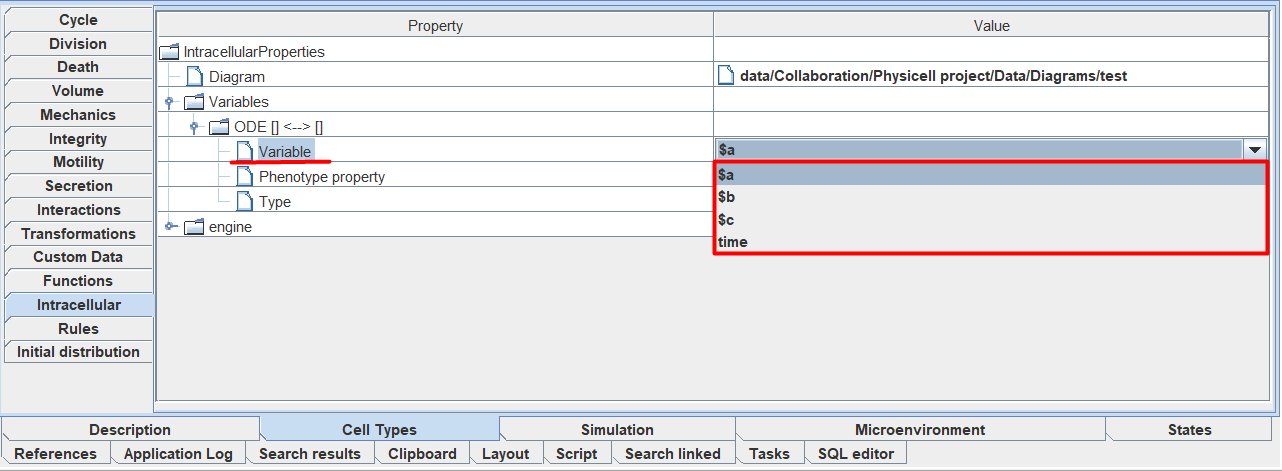
In the drop-down lists opposite the fields Variable and Phenotype property you can find any parameter of the selected SBML model and any property of the selected cell type, respectively.
In the drop-down list opposite Type you can always choose one of 3 match types:
Input: the value is determined by the PhysiCell model and the SBML model does not affect it in any way; it only uses it as the value of one of its parameters.
Output: the value is determined by the SBML model and the PhysiCell model does not affect it in any way; it only uses it as the value of one of the cell’s properties.
Contact: The value is defined in both SBML and PhysiCell models.
To work with existing matches, use this functionality.
Properties of the numerical method (engine)
The properties of the numerical method are used to solve the SBML model.
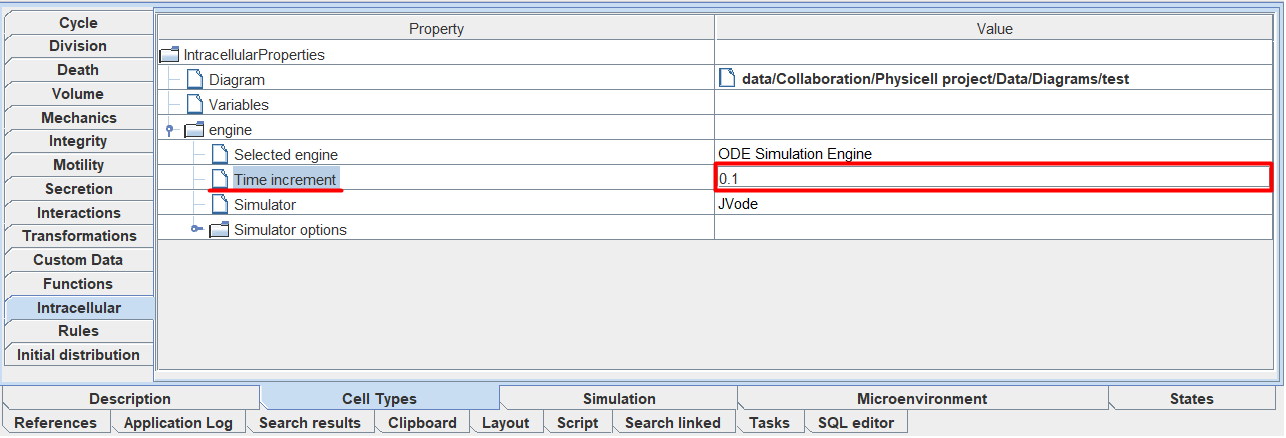
Inside the engine tab you can edit the values of the following parameters:
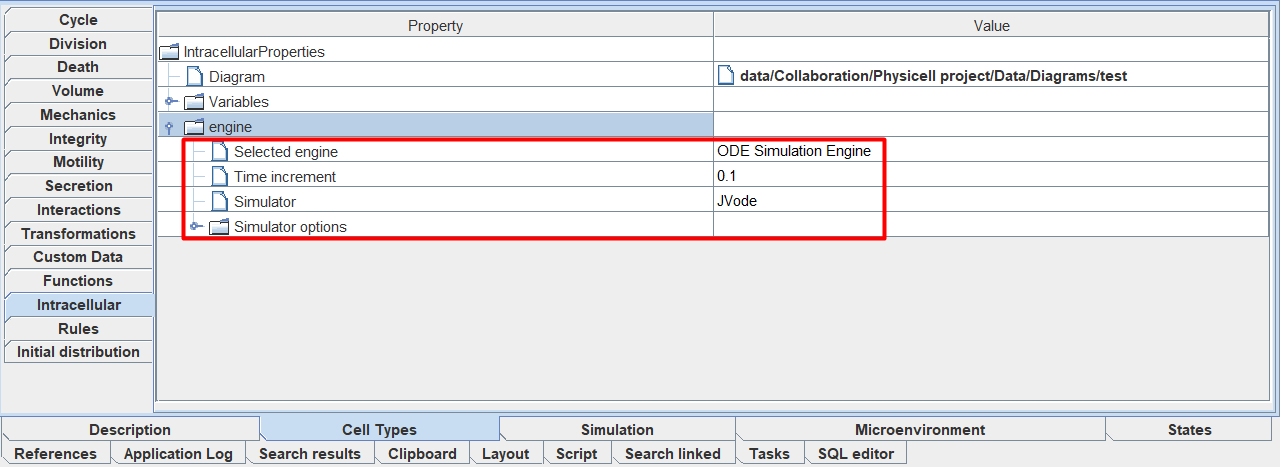
Selected engine: mathematical formalism within which the SBML model is numerically solved,
Time increment: SBML model simulation step size,
Simulator: numerical solver used to simulate the SBML model,
Simulator options: numerical solver options.
To select a mathematical formalism (Selected engine) or a numerical solver for simulating an SBML model (Simulator), you need to click LMB to the right of the icon Selected engine or Simulator, respectively, and select one of the available options from the drop-down list.
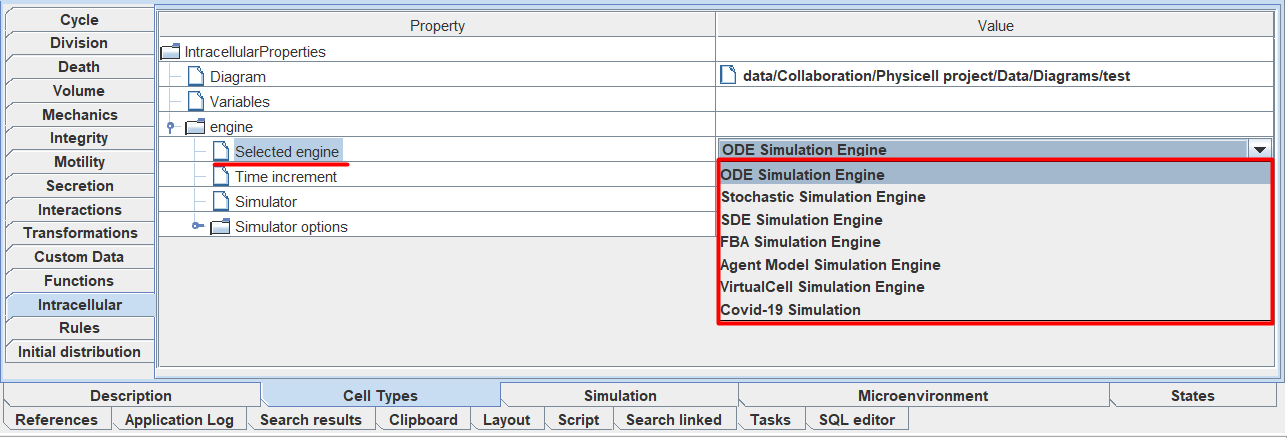
To specify the size of the SBML model simulation step (Time increment), you need to click LMB to the right of the icon Time increment and enter your own value.
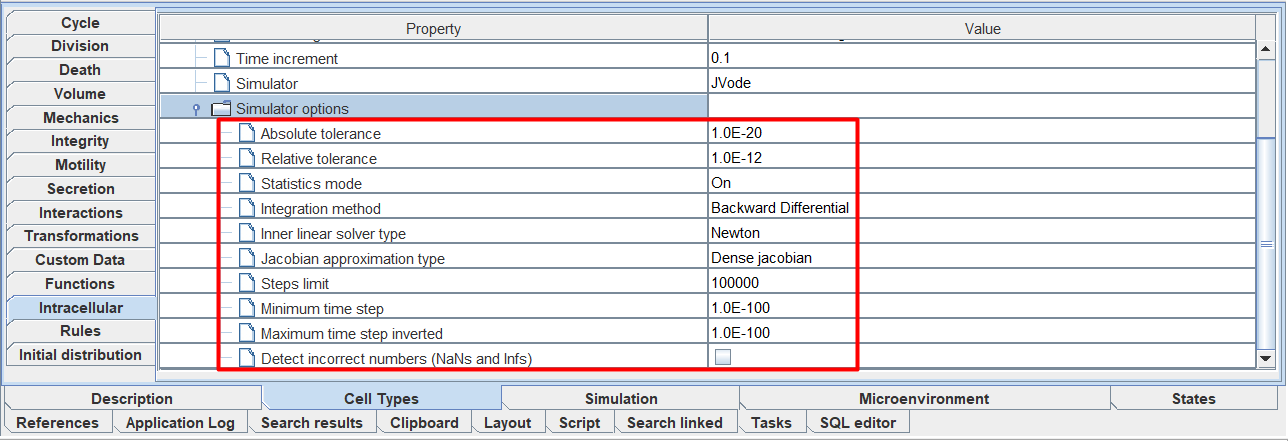
To edit the parameters of the selected numerical solver (Simulator options), you need to open the Simulator options tab and to the right of the parameter name, enter your own value, select the proposed value from the drop-down list, or mark ☑.
Important
Each numerical solver has its own set of parameters for editing.
Some numerical solvers do not have editing options.