Functions that describe cell behavior (Functions)
After clicking on the Functions tab in the properties panel on the right, you will have a menu where you can edit functions that describe the behavior of the cell.
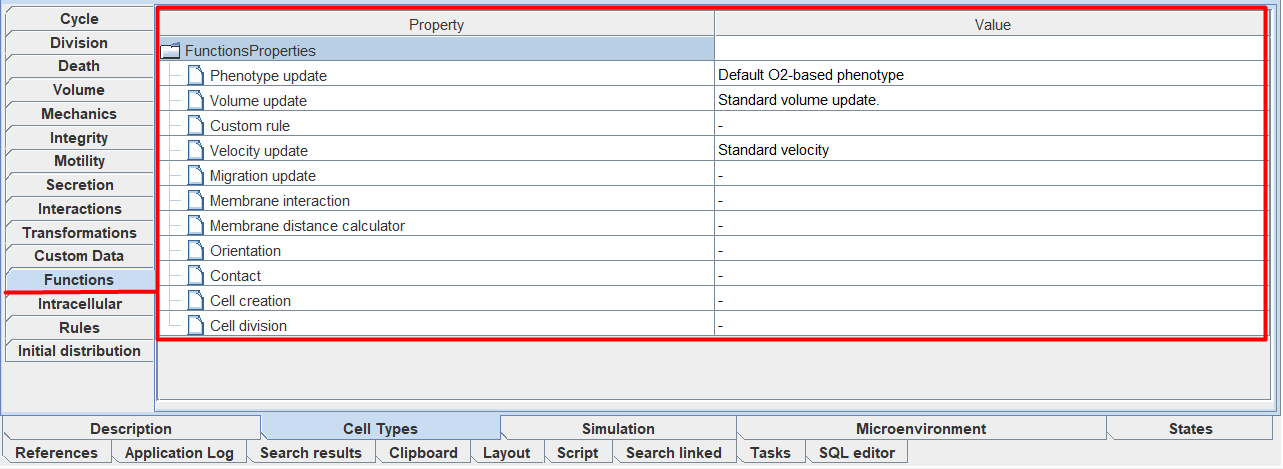
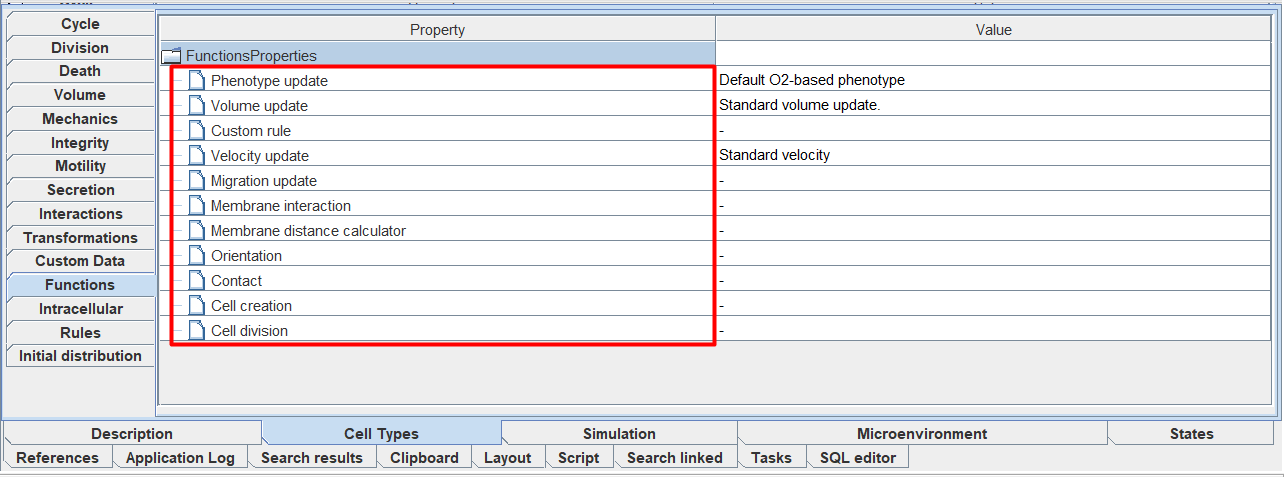
In total, you can edit 11 functions, each of which describes a separate aspect of cell life.
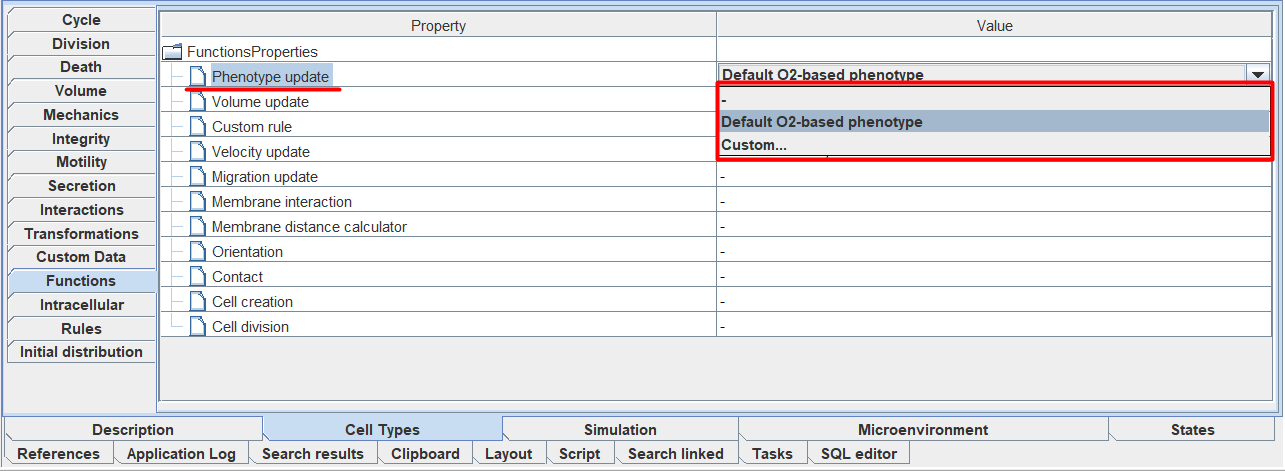
For each of these functions, there are several behavior scenarios to choose from. You can select a particular scenario by clicking LMB to the right of the corresponding function and selecting the desired scenario from the drop-down list.
Below is a list of all functions and available scripts for each of them:
Phenotype update: general description of cell behavior, changes in its behavior depending on external and internal signals.
Default O2-based phenotype - describes the cell’s life activity depending on the oxygen concentration in the environment.
Volume update: describes changes in all volumetric properties of the cell (amount of fluid, nucleus volume, etc.), including the overall cell volume itself.
Standard volume update - sets the default volume-dependent properties.
Custom rule: additional cell behavior function.
Avoid microenvironment boundaries - the cell avoids external environment boundaries,
Wrap microenvironment boundaries - the cell passes through the boundary to the opposite edge of the external environment.
Velocity update: describes changes in cell movement speed.
Standard Velocity - the cell’s speed changes according to default rules depending on the specified properties of chemotaxis, adhesion degrees, deviation, and presence of other cells around.
Migration update: describes cell movement.
Chemotaxis - chemotaxis along the gradient of one substance,
Advanced chemotaxis (weighted combination of gradients) - chemotaxis along gradients of multiple substances with corresponding sensitivities,
Advanced normalize chemotaxis (weighted combination of normalized gradients) - chemotaxis along normalized gradients of multiple substances with corresponding sensitivities.
Membrane interaction: describes the cell’s interaction with the basement membrane (the basement membrane itself is not modeled; it is assumed that the entire system is located on it).
Avoid domain edge - the cell avoids the membrane boundary.
Membrane distance calculator: describes the cell’s calculation of distance to the basement membrane.
Domain edge distance - calculates the distance to the membrane edge.
Orientation: describes changes in the cell’s orientation in space.
Up orientation - orientation parallel to the Z-axis.
Contact: describes the cell’s contact with other cells.
Standard Elastic Contact - elastic adhesion/repulsion from other cell types.
Cell creation: describes the process of creating a new cell during division or during initial initialization.
Cell division: describes the cell division process.
Standard asymmetric division - the cell divides asymmetrically.
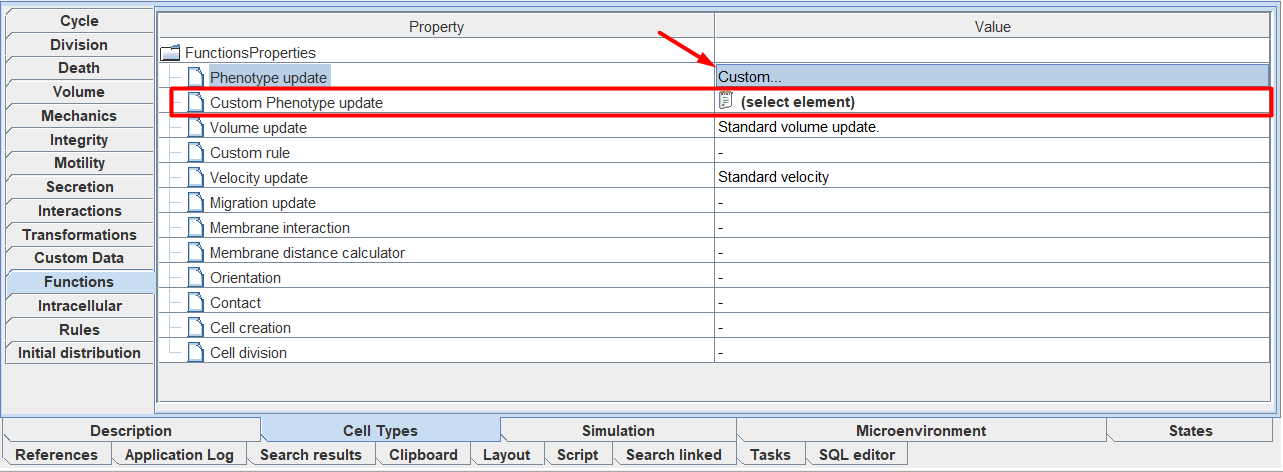
You can also select the Custom… scenario for each function. With this selection, an additional tab  Custom [function name] will appear below the function for which this scenario was selected. In this tab you need to specify the path to the Java code that will describe the behavior of the cell within the framework of the corresponding function.