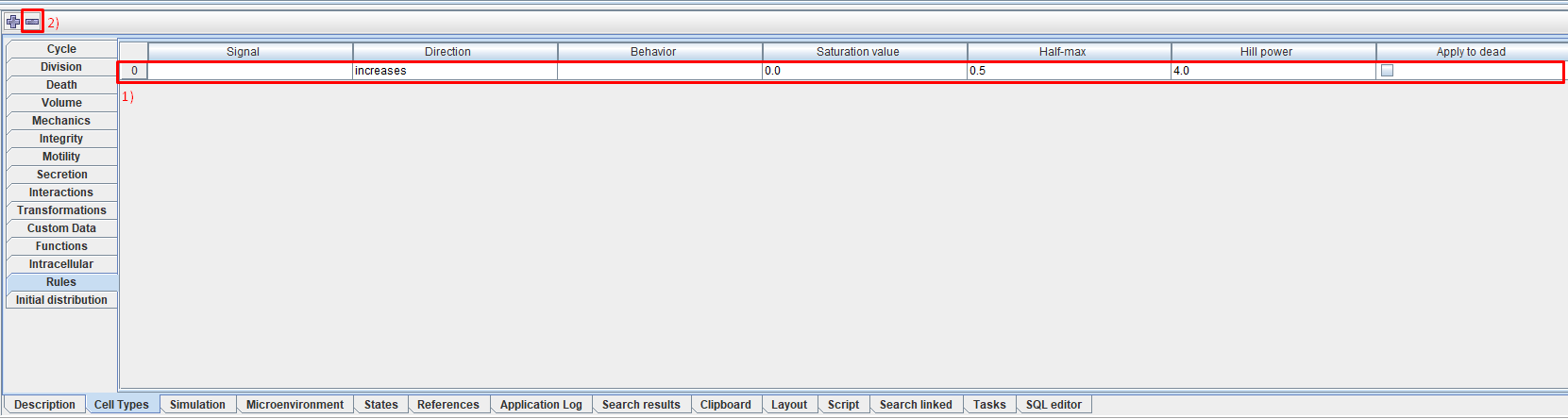
Rules describing cell behavior (Rules)
How do the rules work?
Rules are used to regulate cell behavior based on various signals.
A single behavior can be regulated by multiple signals, each of which can be either stimulatory or inhibitory.
The resulting behavior, taking into account all signals, is calculated according to the multivariate Hill’s law as follows:
The Hill function is calculated for all stimulating signals:
Where:
\(S_i\) - current value of the i-th signal.
\(H_i\) - the value of the i-th signal at which the resulting function reaches half of the maximum value.
\(h_i\) - Hill coefficient of the i-th signal.
The Hill function is calculated for all inhibitory signals:
Behavior is calculated taking into account only stimulating signals:
The resulting behavior is calculated:
Where:
\(base\) - the initial value of this behavior.
\(min\) - saturation value for all signals inhibiting this behavior (same for all signals).
\(max\) - saturation value for all signals stimulating this behavior (same for all signals).
Setting up rules in the model
After clicking on the Rules tab on the property panel on the right, you will see a menu in which you can add a new rule by clicking LMB on the  icon.
icon.
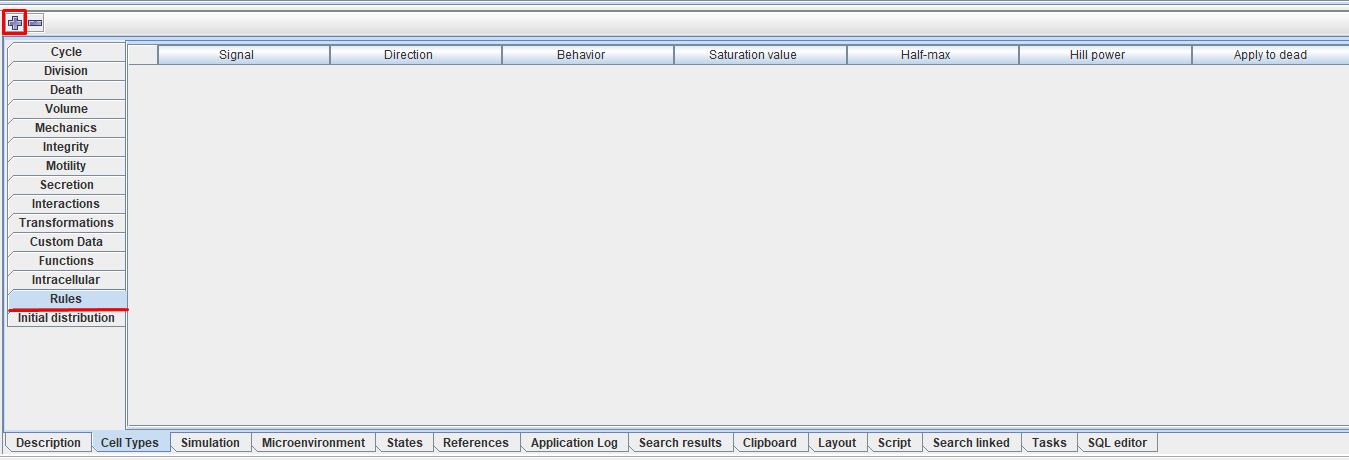
This way you can add as many rules as you like.
After this, a line will appear in the menu in which you can describe a specific rule.
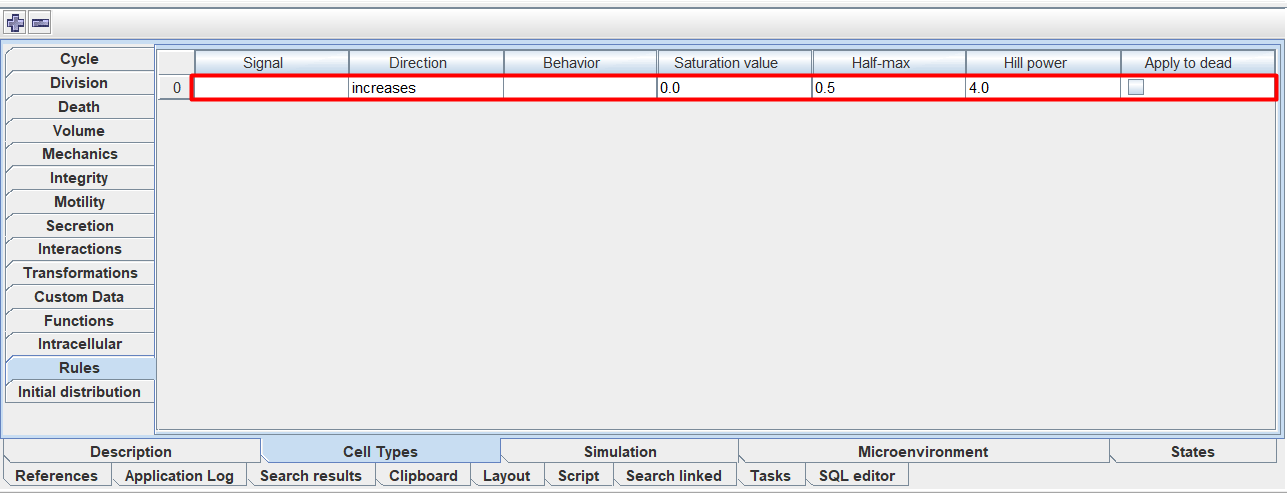
In this line you can configure the following parameters:
Signal: signal,
Direction: direction of the signal (stimulation or inhibition),
Behavior: the behavior of the cell that is affected,
Saturation value: signal saturation value,
Half-max: signal value at which the resulting function reaches half of the maximum value,
Hill power: Hill power of the signal.
Apply to dead: check ☑ if the rule should apply not only to living cells, but also to dead cells.
To select the value of the Signal, Direction, and Behavior parameters, you need to click LMB in the row cell under the corresponding heading and select the desired value from the drop-down list.
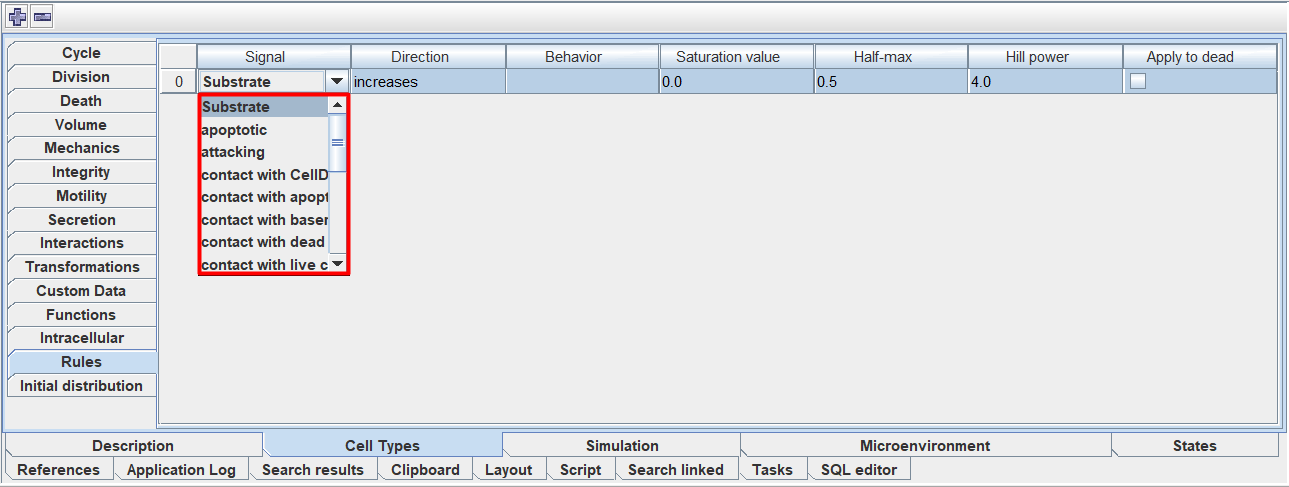
To select the value of the parameters Saturation value, Half-max, and Hill power, you need to click LMB in the cell of the row under the corresponding heading and enter your own value.
To delete a rule you need to:
Click LMB anywhere on the line corresponding to this rule.
Click the
 icon.
icon.